Mediation & Flagging
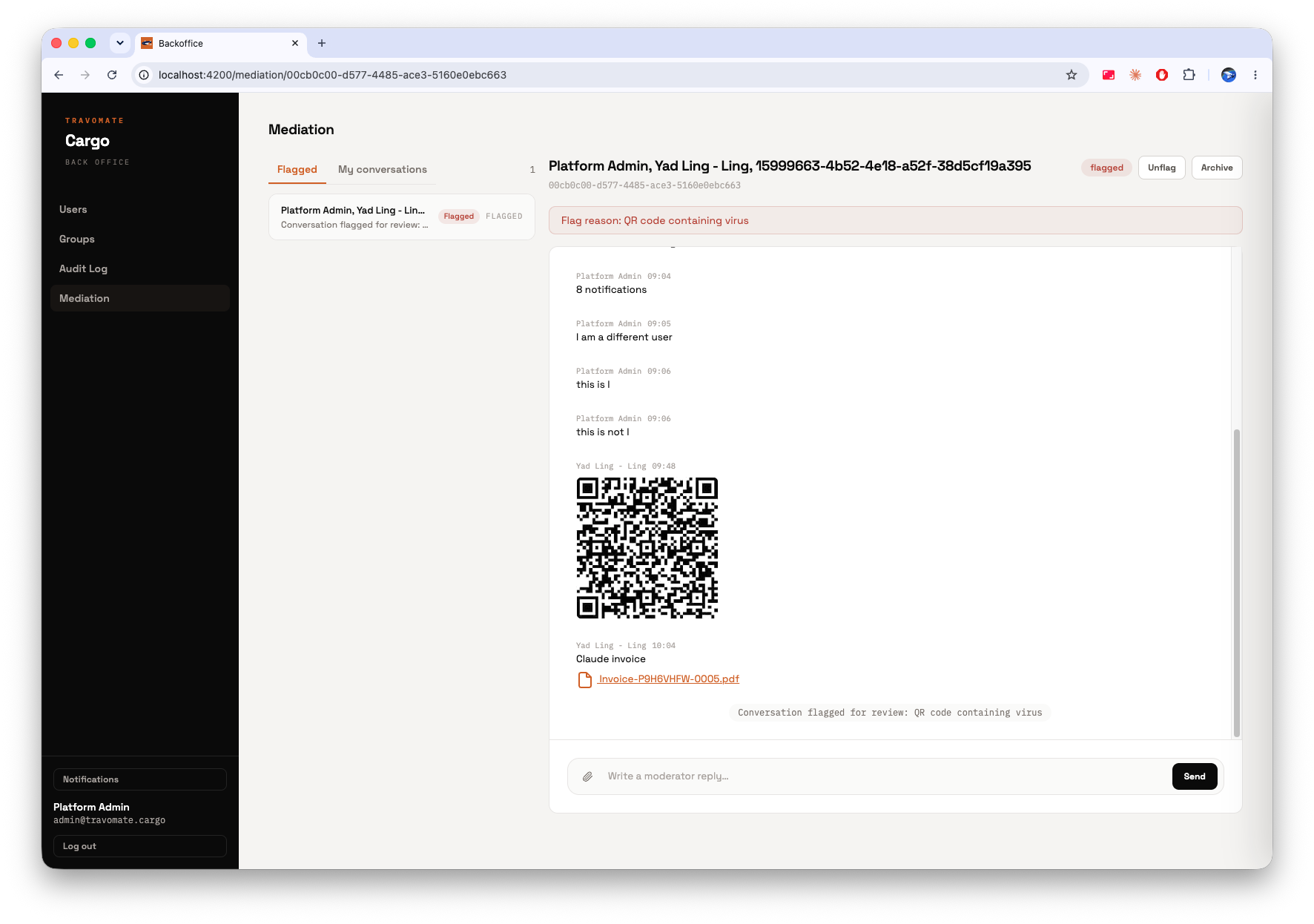
On Travomate Cargo, content moderation and dispute mediation are the same mechanism: a conversation is flagged, staff review it, and a staff member can then step directly into the thread as a mediator between the two parties. There's no separate "open a dispute" process. Flagging a conversation is what puts it in front of a mediator.
Conversation States
A conversation is always in exactly one of three states:
| State | Meaning |
|---|---|
| Active | Normal, ongoing conversation between its participants |
| Flagged | Marked for staff review: a reason is attached and staff gain visibility into the thread |
| Archived | Closed out, optionally with a moderator's closing note |
Flagging a Conversation
Flagging a conversation:
- Attaches a reason (for example, a suspicious link or attachment, abusive language, a payment dispute)
- Grants staff visibility into the thread, the same way any participant gains visibility, by being added to the conversation
- Posts a system message in the thread noting it was flagged, so anyone already in the conversation can see it happened
- Surfaces the conversation in the Flagged queue in the back office Mediation view
Flagging is a staff action today
There's no self-service "Report" button in the user-facing chat yet. Flagging is performed by staff, using the same permission that lets them mediate. In practice this means flagging and mediation are the same action rather than a user-initiated report that staff later triage. A user-facing report flow would need its own, more limited permission. See Implementation.
Mediating a Flagged Conversation
Once a conversation is flagged, a staff member with access to it can:
- Read the full thread, including everything sent before it was flagged
- Reply into the thread: their replies appear under their own name, visible to both original participants
- Unflag it, returning it to Active if review finds nothing actionable
- Archive it, optionally leaving a closing note, which records who closed it and when
The back office Mediation view has two tabs: Flagged (everything currently awaiting review) and My Conversations (every thread this staff member is part of, whether they were added by a flag or started it directly).
What Doesn't Happen (Yet)
- Flagging a conversation does not currently notify anyone, not the participants, not other staff. It only surfaces in the Flagged queue.
- There's no escalation path (e.g. flagged → re-flagged, or assigning a flagged conversation to a specific mediator) beyond whichever staff member picks it up from the queue.
Related
- Messaging Overview: how conversations and messages work day to day
- Implementation: the moderation state machine and permission model behind this page
- Visibility & Privacy: how being "added" to a conversation grants visibility